Hello!
We are constantly working to innovate our services and products. In this update, we focus on:
- www.q1000.nl is www.assessiobloom.online
- New results available for fit scores
- Preparing assessments is now easier
- Renewed layout of the report
- Deep Dive - Compare candidates even smarter
- Share candidate results via secure link
www.q1000.nl will become www.assessiobloom.online
In the April update newsletter we already announced it: From the update in the evening of May 7th, 2025, the domain name of the platform of Assessio Bloom will change. The new URL will be: www.assessiobloom.online
Why this change?
Assessio Bloom is growing internationally. Our new domain name is in line with this and makes our platform more flexible and ready for the future.
What does this mean for you in concrete terms?
For most users, little will change - you can continue to use your own portal as usual. However, there are a few points of attention:
- The URL of your portal changes from q1000.nl/portalname to assessiobloom.online/portalname. Do you now have a bookmark in your browser for the portal? Then adjust it.
- After this change, the emails from our platform will be sent from message@assessiobloom.online
The URL q1000.nl will remain available until the end of 2025. During this transition period, q1000.nl will automatically redirect you to the new URL.
For advanced users and administrators
Are you the point of contact for your organisation? Then pay attention to the following points:
- Documentation:
Update internal manuals and documentation that contain the old URL. Use from now on: assessiobloom.online/portalname - Email whitelisting:
Assessio Bloom now sends emails from @q1000.nl. Check if your organisation uses a whitelist and add @assessiobloom.online. If necessary, ask your system administrator for help. - Technical links (API/SSO/SCIM):
Do you use APIs or Single Sign-On (SSO)? We will contact you personally shortly to supervise the transition to the new domain name. These links will not automatically change on May 7th..
Do you have any questions? Our support team is ready to help you.
Within our recruitment solution
New scores can be added to fit scores
From now on, additional results are available that you can include in the fit score of your assessment. This applies to Typing skills, Accuracy and the English language test. Do you think these aspects are important for the position for which you are compiling an assessment? Then add them to your fit score to get an even more complete picture of the candidate.
Preparing assessments is now easier
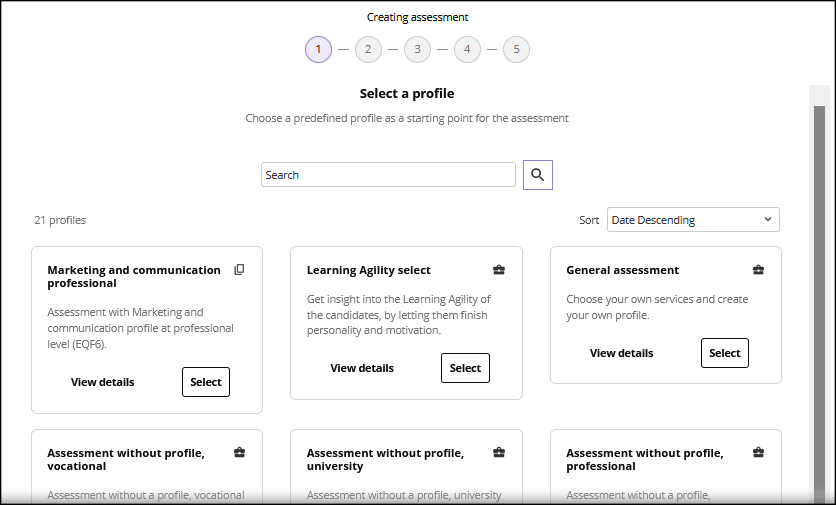
From this update on, we have made putting together an assessment a lot easier. You now follow a clear step-by-step plan and we have also improved the steps themselves. For example, choosing profiles is now a lot clearer.
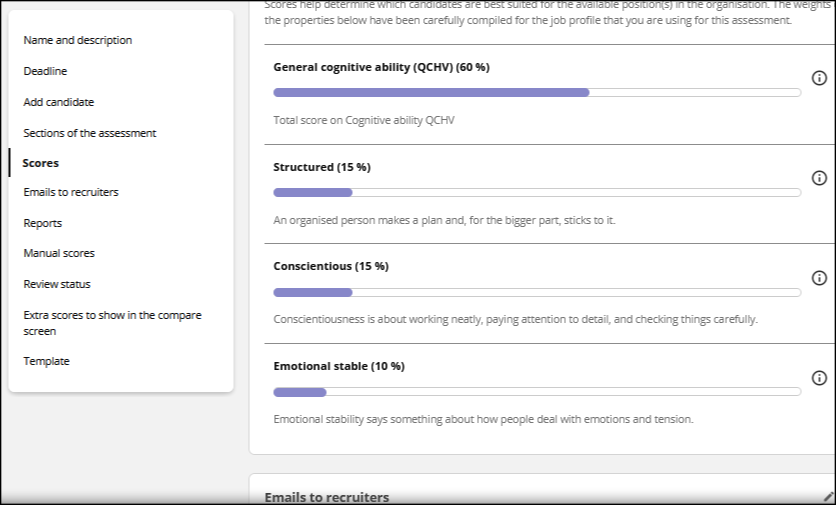
We have also adjusted the information screen of the assessment. Now you can easily navigate between all the settings of the assessment with a handy menu.
Renewed layout of the report
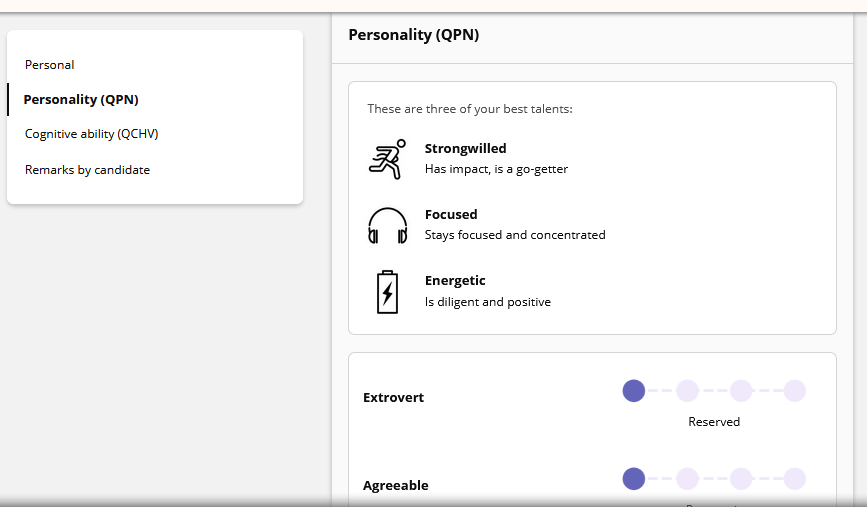
We already announced it in our March 2025 newsletter: The presentation page with all the candidate's results has been given a fresh, modern look. This new layout also fits much better with future developments such as the Deep Dive, which we will discuss below.
New: Deep Dive - Compare candidates even smarter
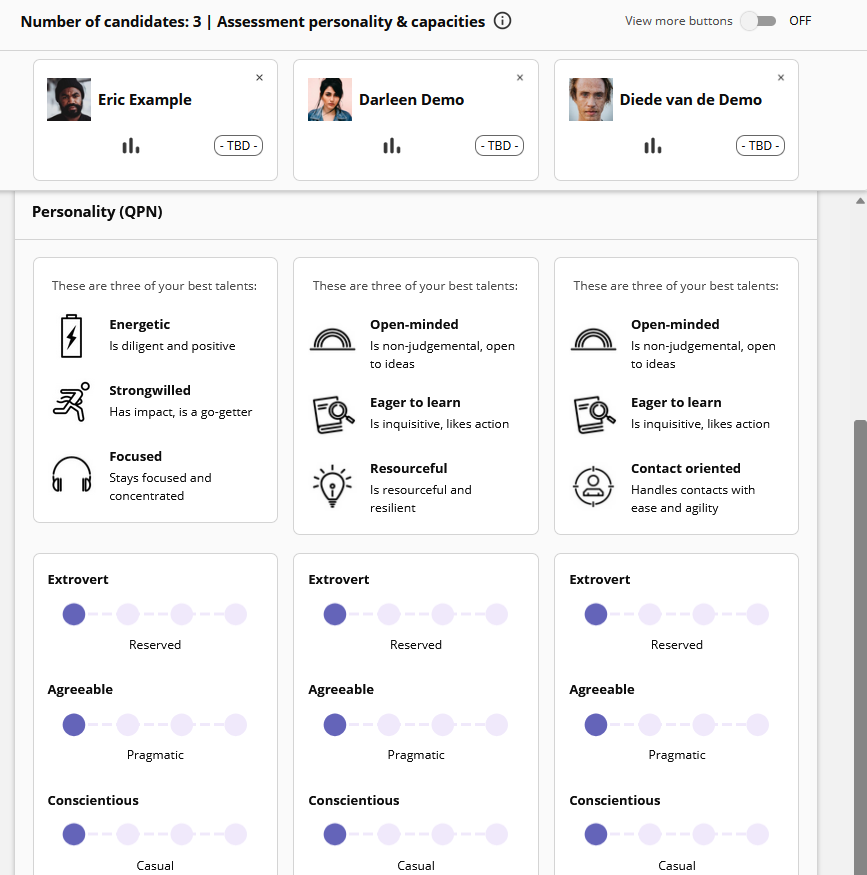
We introduce Deep Dive, a new functionality that helps you find the best suitable candidate faster. In the comparison screen, you can compare candidates on fit scores. Deep Dive goes a step further: it gives you an in-depth insight into the results of the selected candidates.
Deep Dive allows you to analyse up to 5 candidates at once. You can see their strengths, points of attention and suitability for a role in one overview. This allows you to make better-informed choices, without getting lost in large amounts of data.
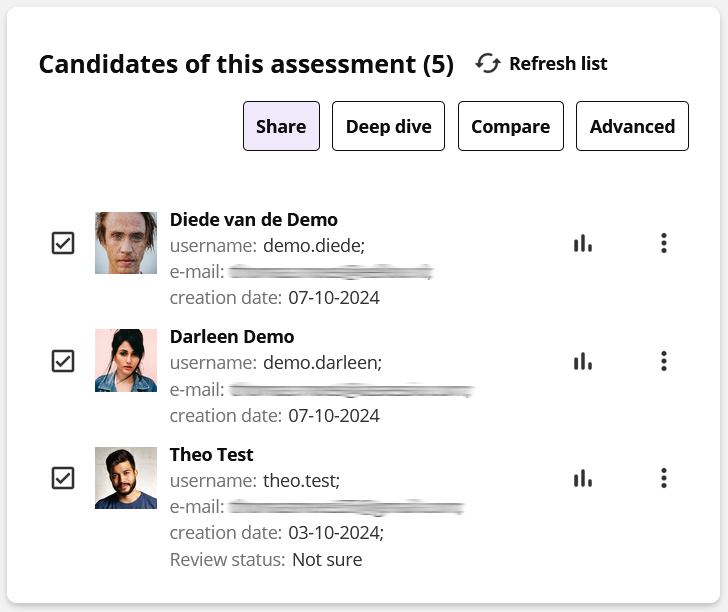
You will soon find Deep Dive in the candidate overview of your assessments. Select up to 5 candidates and click on the Deep dive button.
New: Share candidate results via a secure link
You can now easily and securely share candidate results with others, such as a Hiring Manager. It works just like sharing a saved presentation, but via a handy link.
When compiling the assessment, you can choose which parts of the report will be shared. You can also adjust this afterwards in the Assessment information screen in the Reports section.
The recipient receives an email with clear instructions and a personal link that opens in the browser. Every time this link is used, a verification code will be sent to the email address provided. This way, only the right person gets access to the presentations.
How it works
- Select the candidates in the assessment.
- Click Share.
- Enter one or more email addresses.
- If necessary, set an end date and add a personal message.
After the end date, the link will no longer give access to the previously selected candidates. You can stop sharing at any time. You cannot share presentations if candidates have not completed their assessment.
In short: you decide what is shared, with whom, and for how long. Want to know more? Please contact your contact person at Assessio Bloom.