This page contains the description of how the training/certification setup is done in HubSpot
The setup consists of:
-
HubSpot forms with specific values on dates
-
A workflow to convert event dates to a date property
-
Workflows for sending out email before and after training based on date of the training
-
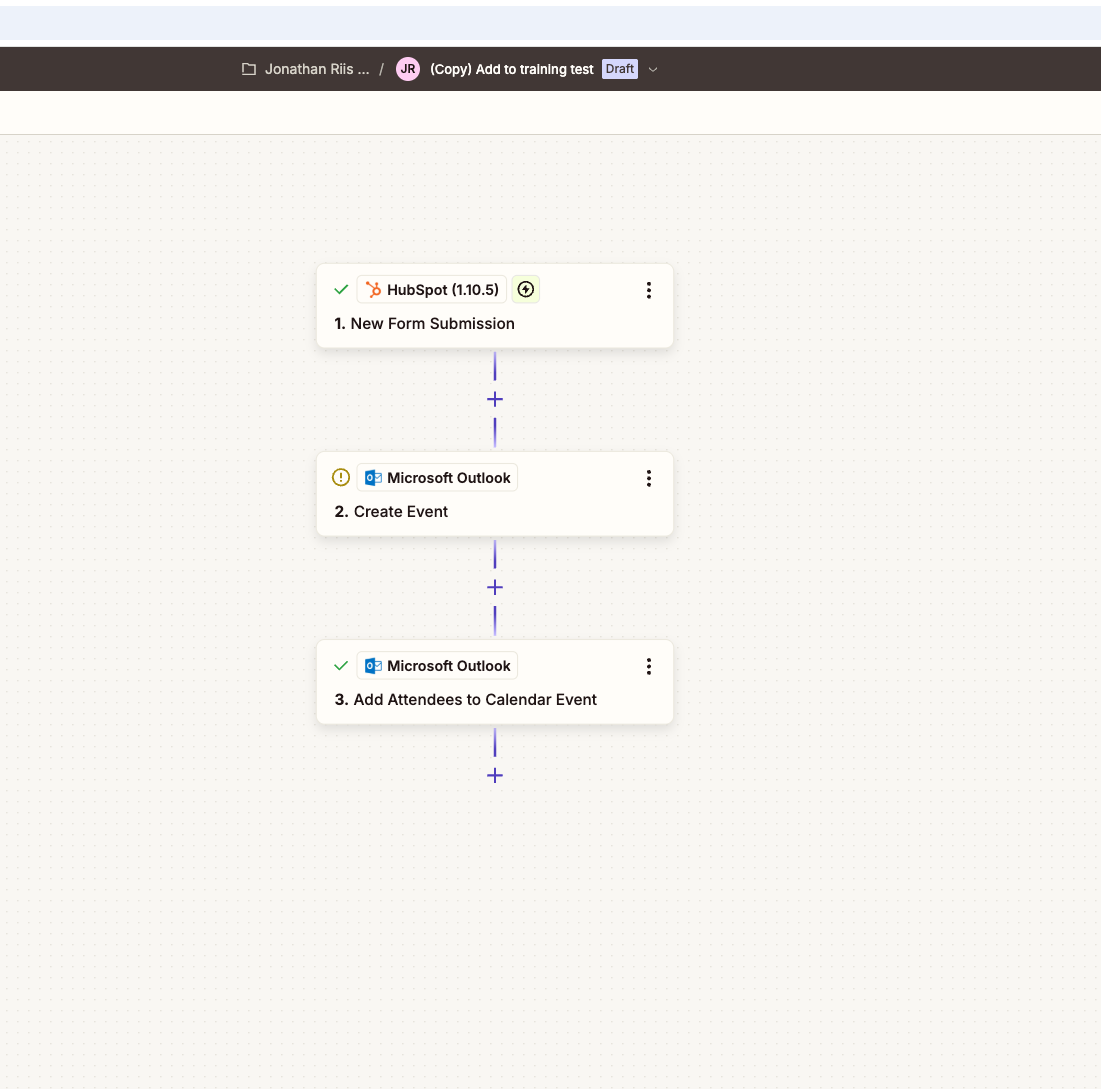
How to get meeting invites out to all who signed up
-
HubSpot forms
See an example of a form here, please clone this and change input to your country HubspotSubmissions
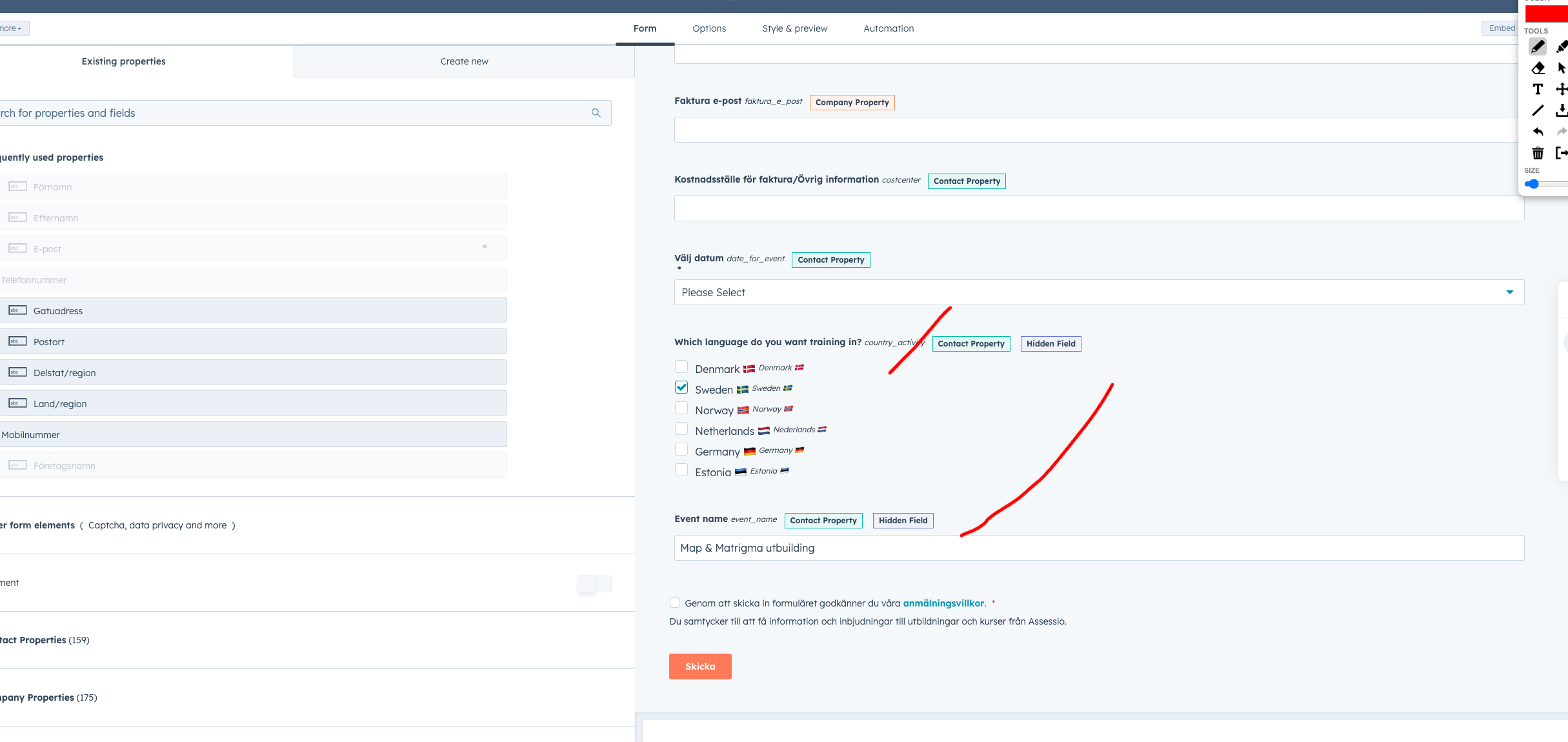
The form should have dates for training, that is set in the date for event property. If you need to add a new date, please give it the internal name like this:
2025-08-24T9:00
You can still have the display name be something like: 24 August 9:00-12:00
If internal value is set like that, we can convert into a date picker with the workflow from bullet two. If this is not done, the delay until event date is not working
Another important point is to have the "country activity" as a hidden field, that needs to be autofilled with the country the training is in.
Also the property "event name" should hold the name of the event. Please remember to have them hidden
.png?width=670&height=317&name=image%20(28).png)
2. Workflow converting from one property to date format
This workflow takes the internal value from the field "Date for event" and turns into date property to be used as a delay. That is being turned into a date picker property called " date for event(Date format)"
3. Workflows sending emails before and after
There are 4 main workflows currently
They all send out 3 emails → please clone and change emails for the different countries
-
Confirmation email sent right away
-
1 day before course
-
1 day after course
Map& Matrigma
AP demo
Match v
Map x
The trigger is form subsmission and that date for event is known, so we make sure that the delay will work 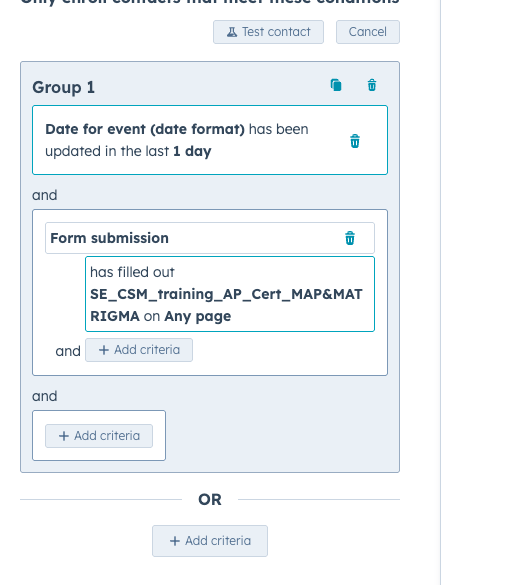
.png?width=530&height=585&name=image%20(29).png)
If you need to add another form, please clone this action and just change the form
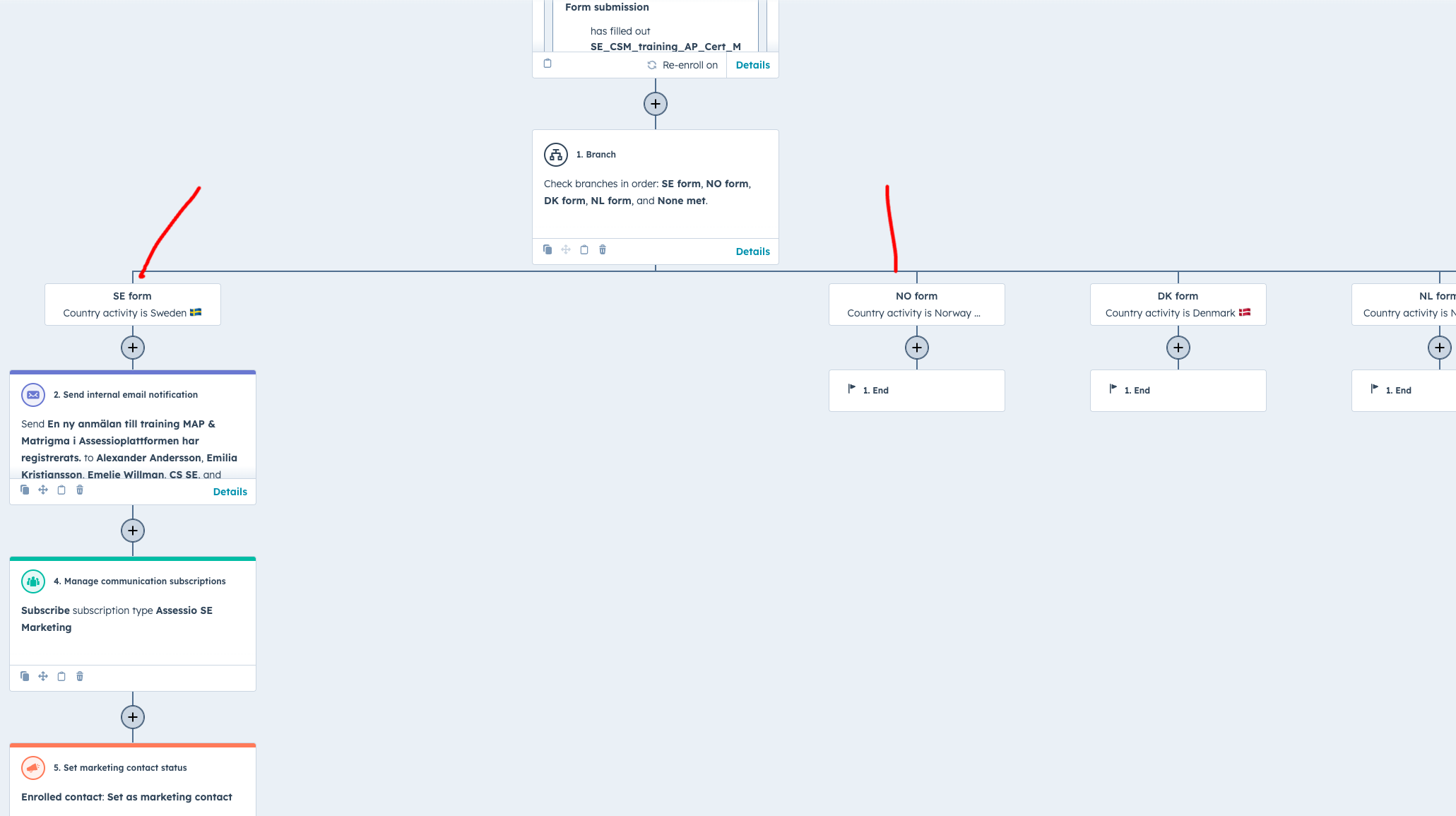
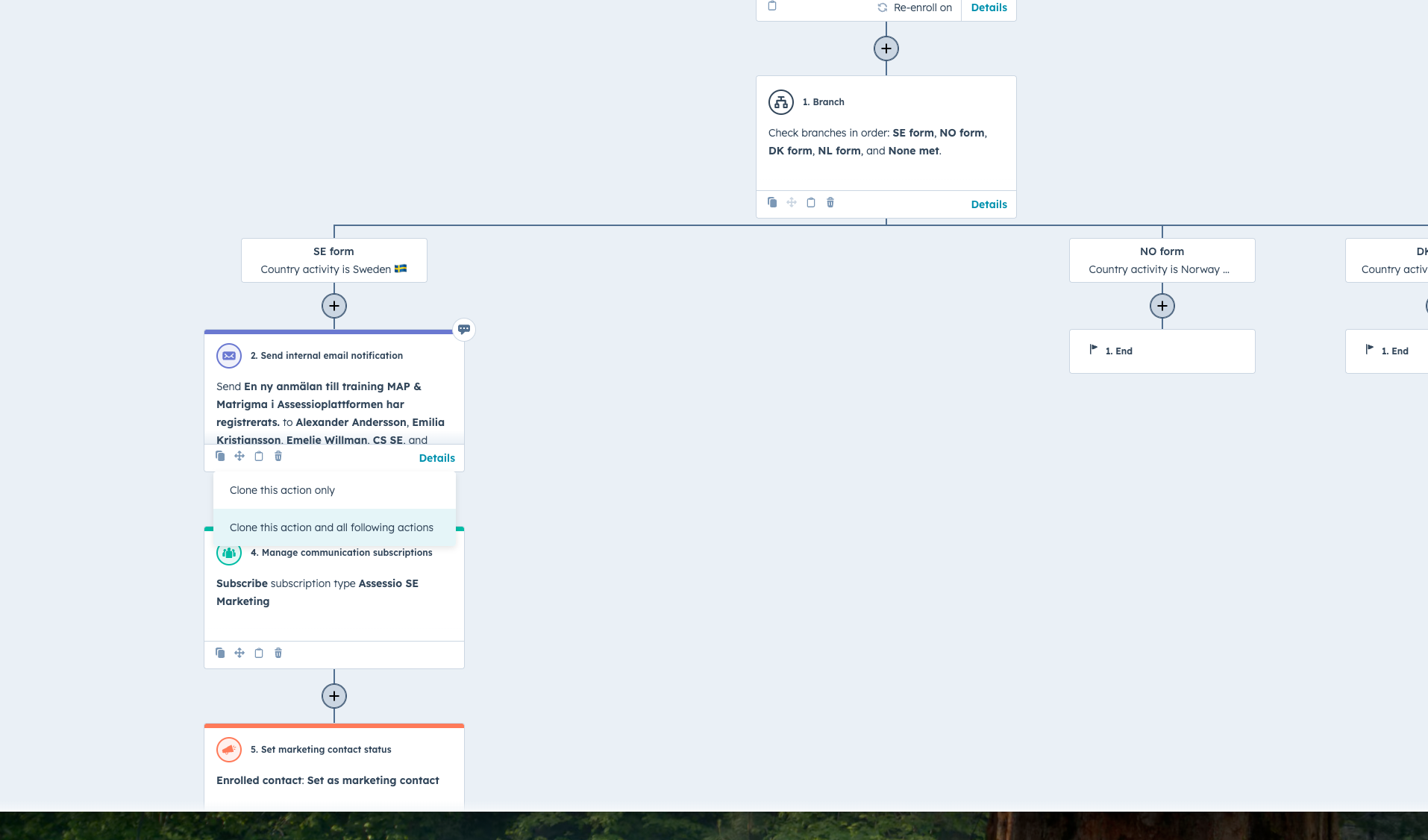
The central branch in the workflow uses country activity, and therefor why it is important to set in the form. This tells us which country the lead is coming from.
.png?width=670&height=375&name=image%20(30).png)
If you need to insert into the NO branch, for an example, you can clone the whole SE branch, and change the input, makes it a lot quicker
.png?width=670&height=394&name=image%20(33).png)
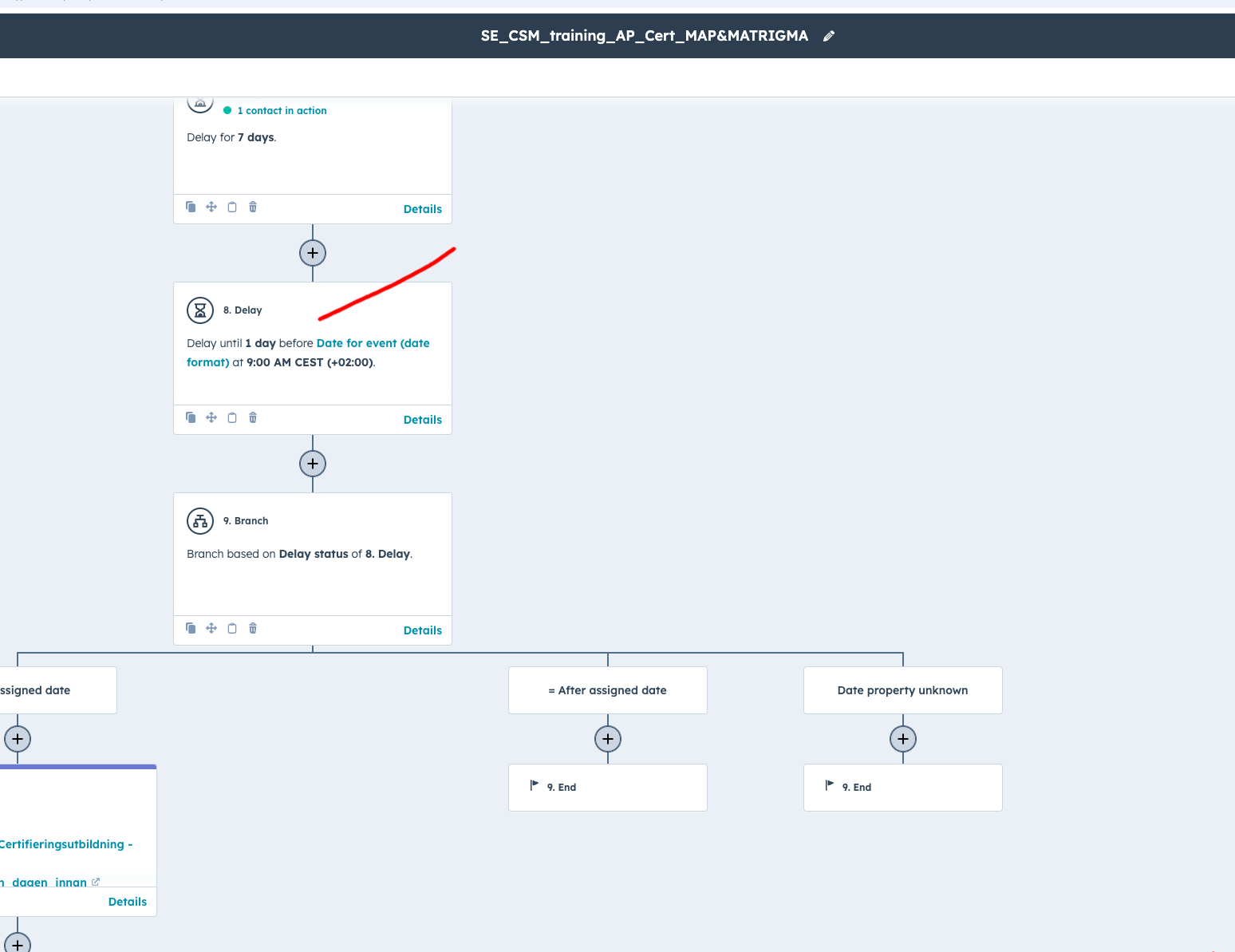
The delay in the branches are based of the property "date for event(Date format)" which is why it has importance
.png?width=670&height=516&name=image%20(32).png)
-
How to get people invites in their calendars
You can use zapier to sent invites to the people who signed up. You just need to:
-
Connect the outlook account of one who has the training calendar
-
Find the event in the calendar
-
Add attendes trough the attendes actions
.png?width=670&height=663&name=image%20(34).png)