
To be able to do this you need to have at least one candidate in the project. If you don't have any candidates yet, please add yourself as a candidate and then abort the invite. After this step is completed you can follow this guide:
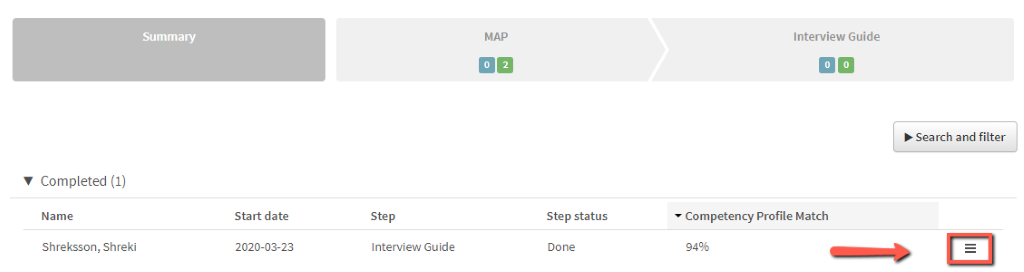
1. Go to the project and click on the menu icon to the right with three lines. Click on ”Create report”.
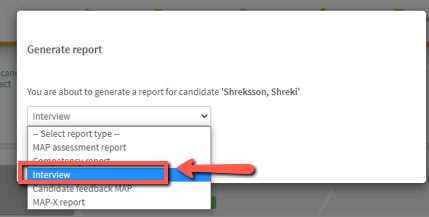
2. Click on ” elect report type” and click on ”Interview”.
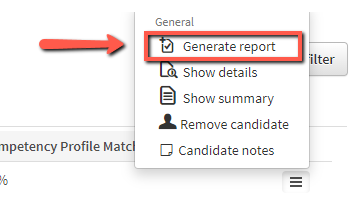
3. Click on “Generate report”.
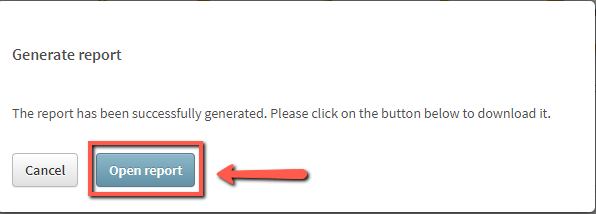
4. Click on ” pen report”.
5. Download and save or print the report.