
It is important to understand why it does not work.
As soon as you enter the URL, for example assessiobloom.online/assessio, the page jumps to the authenticator page, https://assessiobloom.online/authenticator/authenticate.html#login.
This page “moves”, as it were, and is unique every day. If you save this page, you will not be able to use it to log in the next day, and you will see an error message.
As soon as you enter the URL, for example assessiobloom.online/assessio, the page jumps to the authenticator page, https://assessiobloom.online/authenticator/authenticate.html#login.
This page “moves”, as it were, and is unique every day. If you save this page, you will not be able to use it to log in the next day, and you will see an error message.
- Go to the gate login page, for example assessiobloom.online/gatename
- Save as a favourite
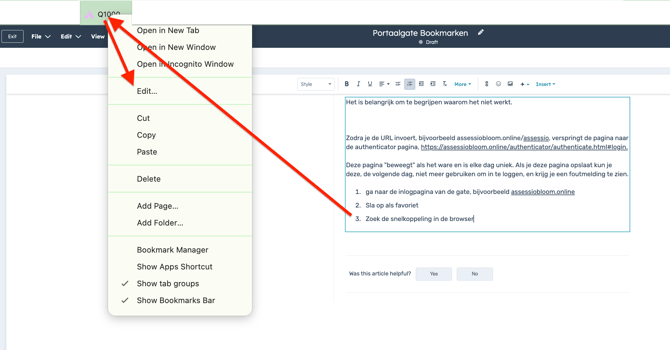
- Find the shortcut in the browser
- Click Edit
- Change it to the original link e.g. assessiobloom.online/assessio/gatename