
What the integration does
With the Assessio integration you can send an Assessio Lens to a candidate directly from their profile in Recruitee. When the candidate completes the assessments, the overall score and the competency scores appear in the candidate's profile in Recruitee. You can open the full results in Assessio with one click.
Before you start
- Your organisation has an Assessio account with at least one Lens.
Step 1: Get your Recruitee key from Assessio
Contact Assessio to receive your Recruitee key: customersupport.nl@assessio.com
The key connects Recruitee to your Assessio organisation. Treat it like a password and do not share it outside your team.
Step 2: Connect Assessio in Recruitee
- In Recruitee, go to Marketplace > Assessments and select Assessio.
- Click Integrate, read the information and confirm with Accept and integrate.
- Paste your Recruitee key and click Integrate.
- Under Settings, choose which roles can view results and send Lenses, then click Save.
You can change the key (1) and the role permissions (2) later under Marketplace > Activated > Assessio > Settings. This is also where you remove the integration.
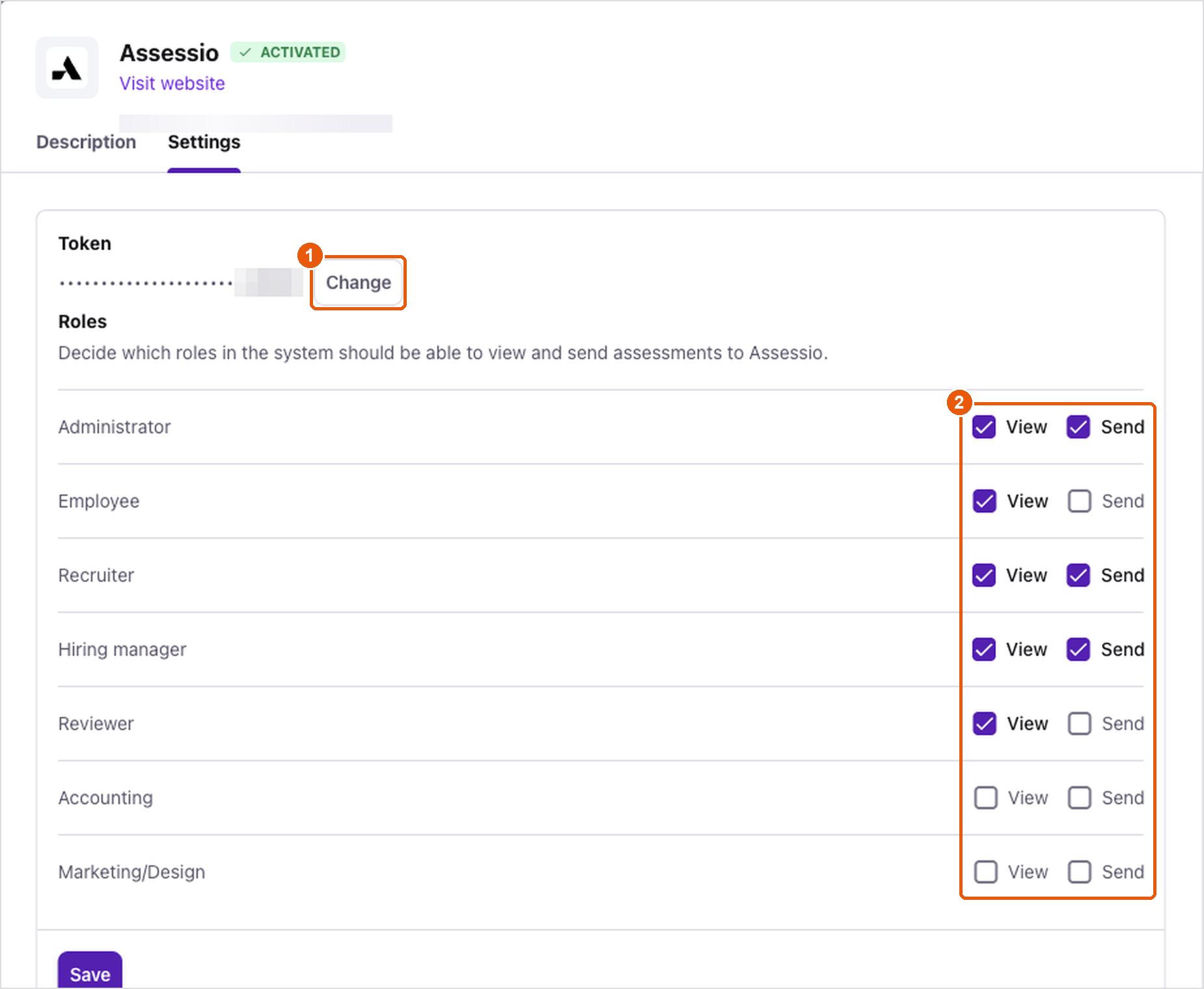
Integration settings in Recruitee: change the key (1) and choose which roles can view and send (2)
Step 3: Send a Lens to a candidate
- Open the candidate's profile. On the Overview tab, find the Assessio section and click Send test.
- Check the candidate's details and select the job.
- Under Tests, choose the Lens. The list shows the Lenses available in your Assessio organisation.
- Click Send.
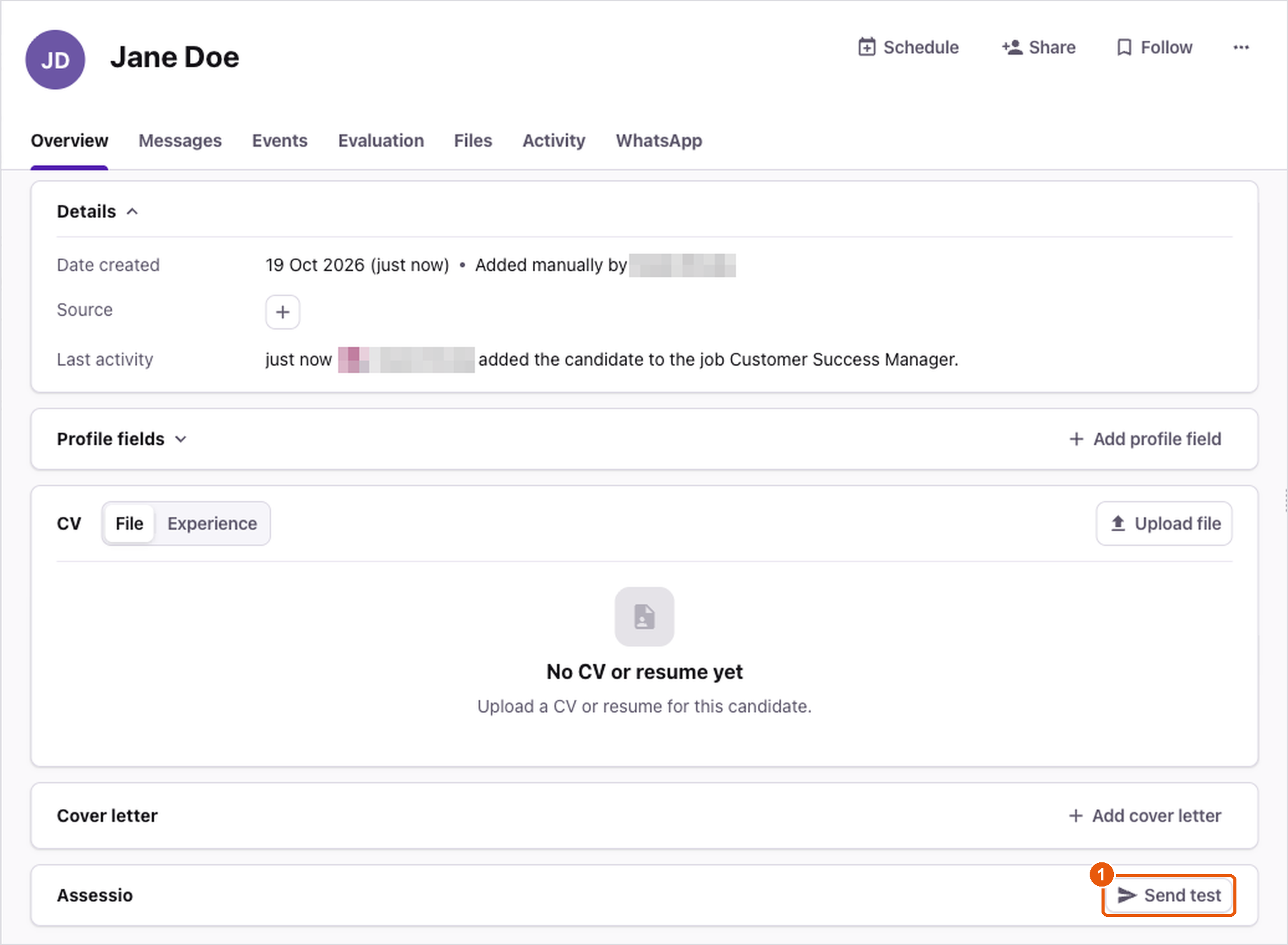
The Assessio section in the candidate profile: Send test (1)
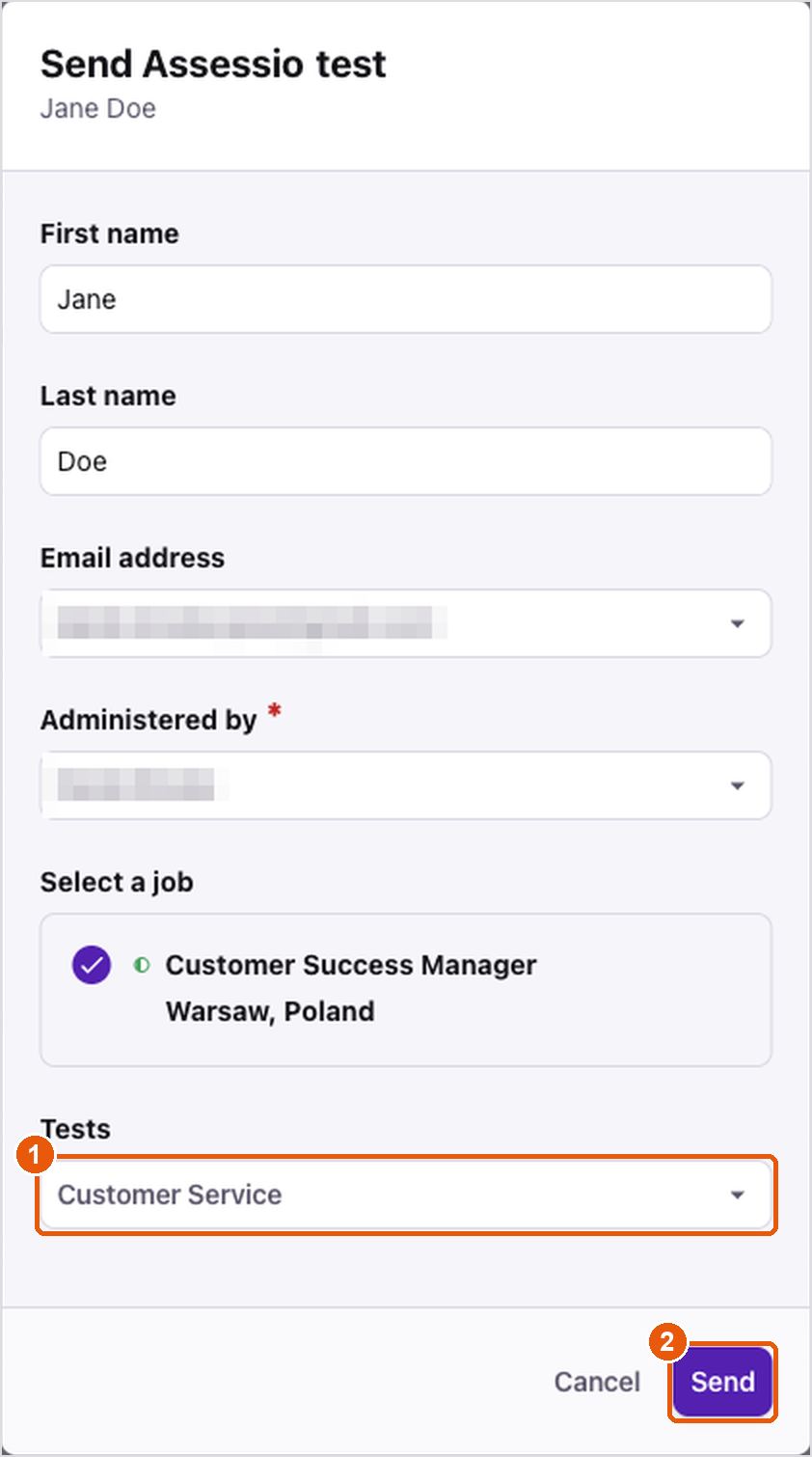
Choosing the Lens (1) and sending it (2)
The candidate receives an e-mail invitation from Assessio and completes the assessments in Assessio.
In Assessio, each combination of a Recruitee job and a Lens becomes one recruitment, named after the job. Candidates you send for the same job and Lens are added to the same recruitment.
Step 4: View the results
While the candidate has not finished yet, the Lens shows a clock icon. Open (1) takes you to the recruitment in Assessio.

A Lens that has been sent and is waiting for the candidate
When the candidate has completed the assessments, the Lens shows:
- The overall score for the Lens.
- Open, which opens the candidate's results in Assessio.
- A score for each competency in the Lens.
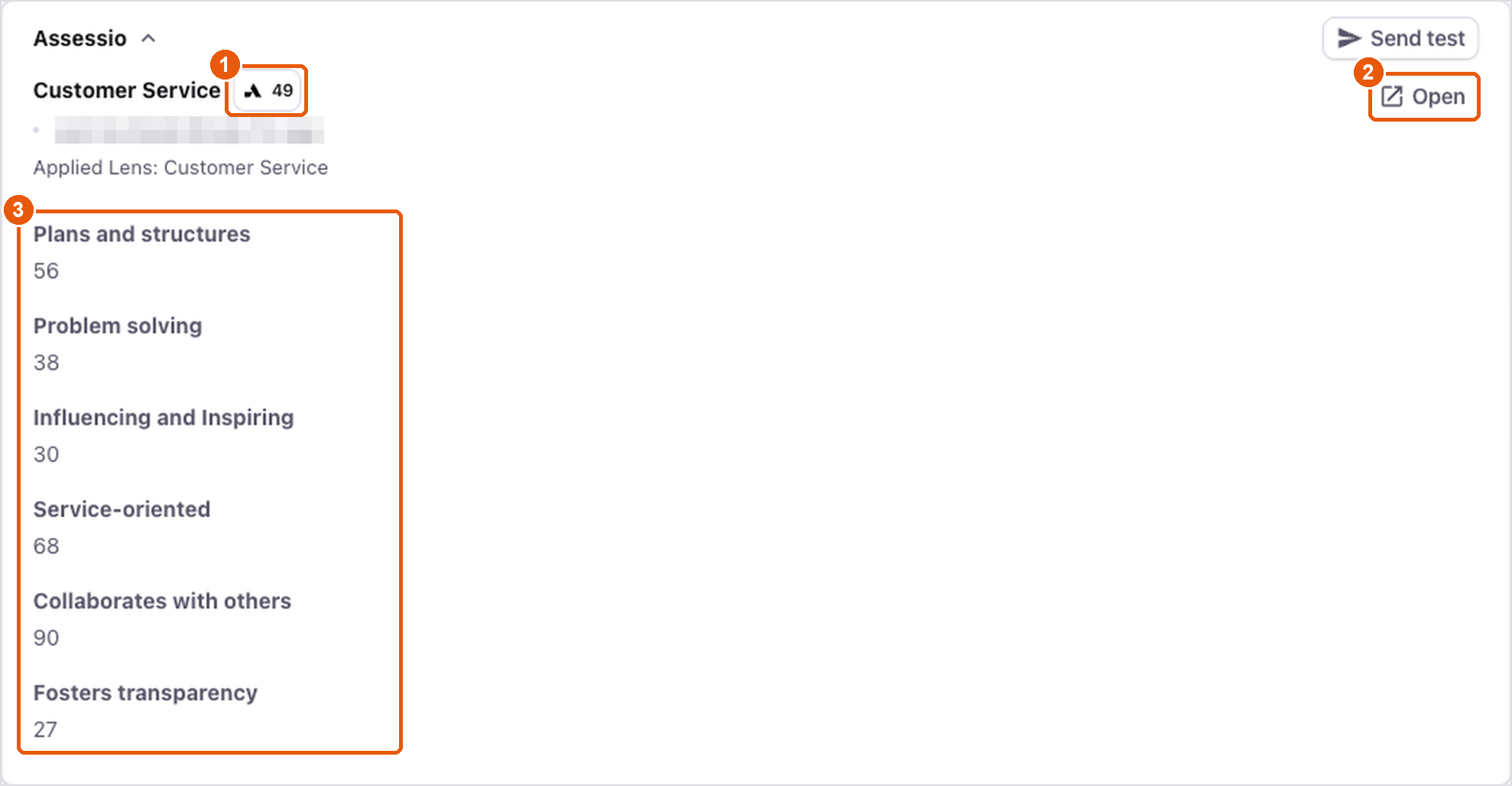
Completed results in the candidate profile
The overall score is also shown on the candidate's card in the job pipeline (1).
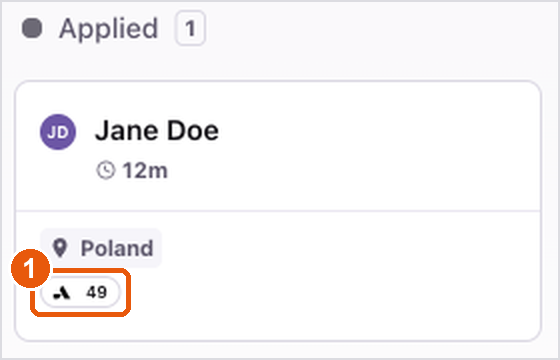
The score on the candidate's card in the pipeline
Open requires signing in to Assessio. After signing in, you see the candidate's assessment results.

The candidate's results in Assessio
What data is shared
From Recruitee to Assessio, when you send a Lens:
- the candidate's first name, last name and e-mail address,
- the job (ID and title) and the Lens you selected,
- the e-mail address of the Recruitee user who sent the Lens,
- technical IDs that link the result to the right candidate and company in Recruitee.
From Assessio to Recruitee:
- the list of your Lenses, shown under Tests,
- the status (sent, completed) and a link to Assessio,
- after completion: the overall score and the competency scores.
The date shown next to the Lens in Recruitee is the date it was sent, not the date the candidate completed it. The completion date is shown in Assessio after clicking Open.
FAQ
Recruitee shows "The assessments were already sent to this candidate for this job."
A Lens can be sent to the same candidate for the same job only once. You can still send a different Lens to the same candidate.
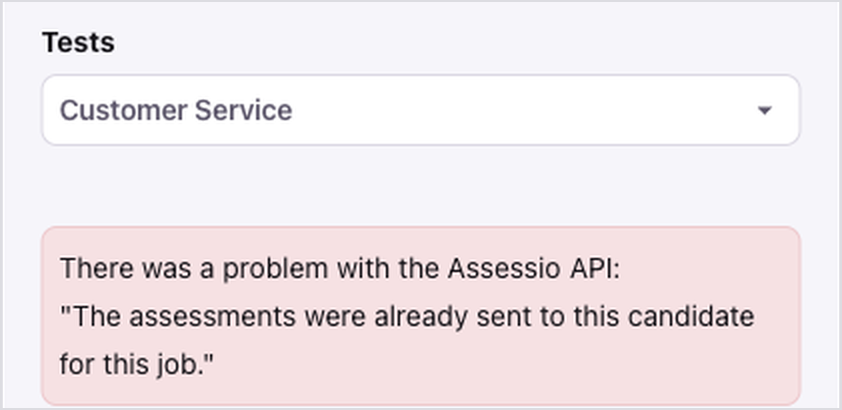
The message shown when the same Lens is sent twice
Recruitee shows "The Assessio integration is suspended. Please contact Assessio support."
The integration has been paused on the Assessio side. Contact Assessio to reactivate it.
Recruitee does not accept my key.
Check that you copied the whole key. If it still does not work, contact Assessio for a new key and update it under Settings > Token > Change.
I can't open the results in Assessio.
Open requires signing in to Assessio. Each recruitment created from Recruitee is owned by the recruiter chosen when Assessio set up your integration. The Recruitee user who sends a Lens also gets access, if they have an Assessio account with the same e-mail address and a recruitment role. Otherwise, ask the recruitment owner or your Assessio administrator to add you to the recruitment.
What happens if the integration is removed while a candidate is still completing a Lens?
The candidate can still complete it, and the results are available in Assessio. Removing the integration in Recruitee deletes the Assessio results shown in Recruitee, and results completed afterwards are not sent to Recruitee, even if you reconnect the integration.
Contact
customersupport.nl@assessio.com