
This feature allows you, as an Admin, to change the manager of a review during the review cycle.
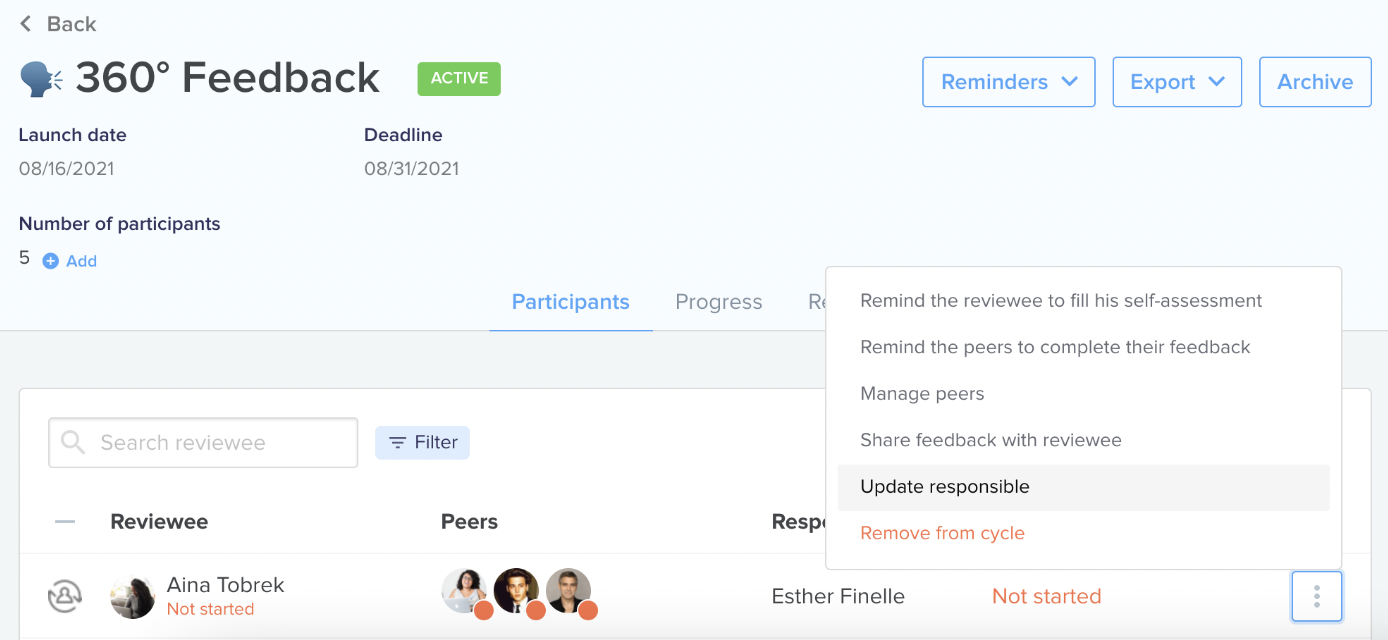
To do so, go to : 360 Feedback > Campaigns > "XX" review cycle > Participants > Update responsible > Select new review responsible.
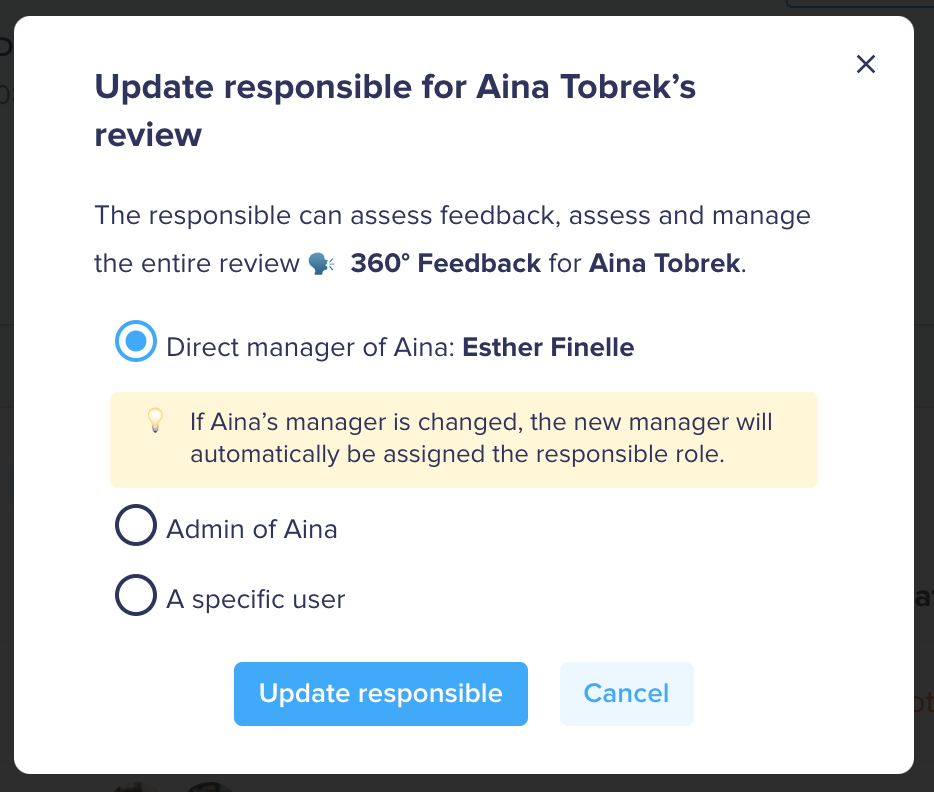
Any Elevo user, whether an admin, manager, or employee, can manage a review.
Once delegated, the review will be found in the "Delegations" tab of the user chosen as the new manager.
Some use cases allowed by this feature:
- Reassign the reviews of a manager on long-term absence to another manager,
- Having different managers in the same review cycle,
- Launch campaigns led by a third-party employee (neither line manager nor Admin).