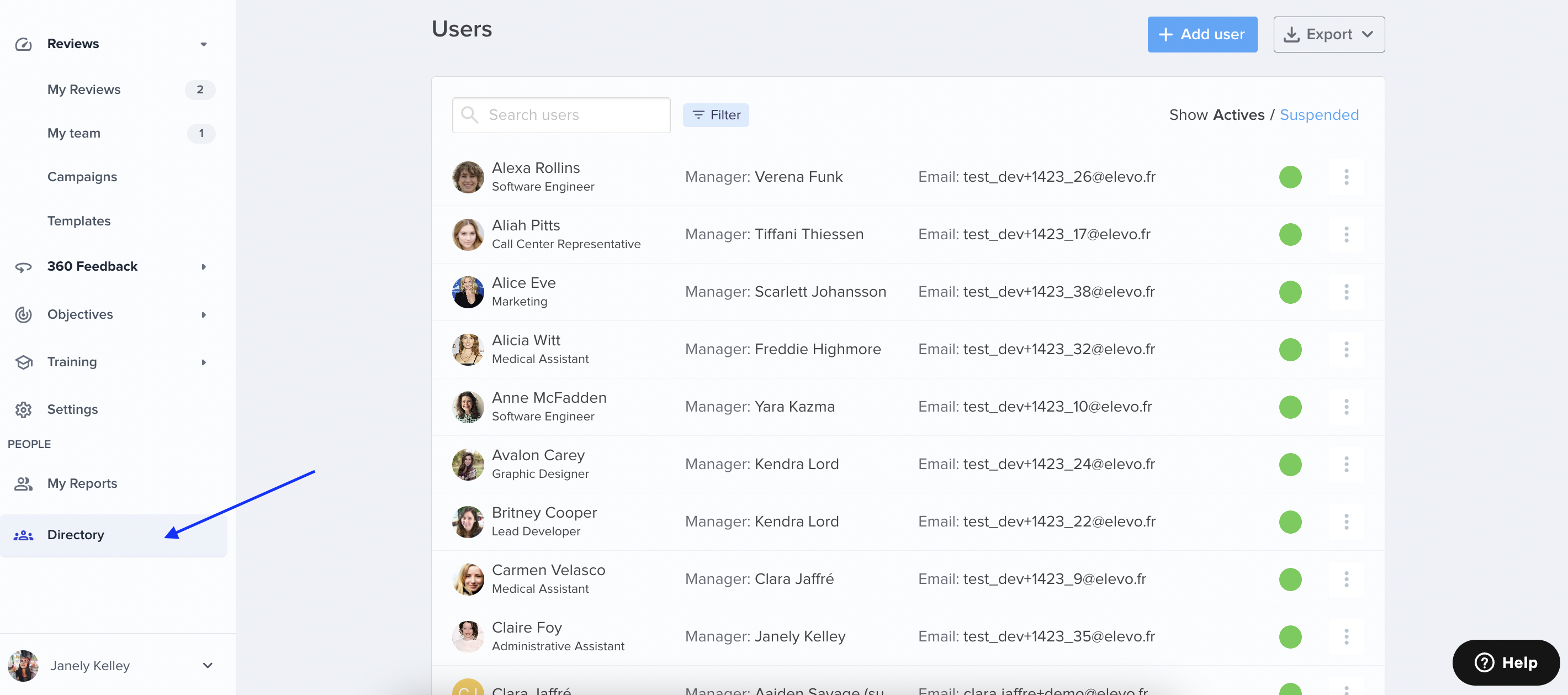
User management in Elevo is only accessible to Admins via the Directory.
To export your user database, simply click on Export > All Active Users in CSV (or Excel). You will receive an e-mail with the exported file attached.

User management in Elevo is only accessible to Admins via the Directory.
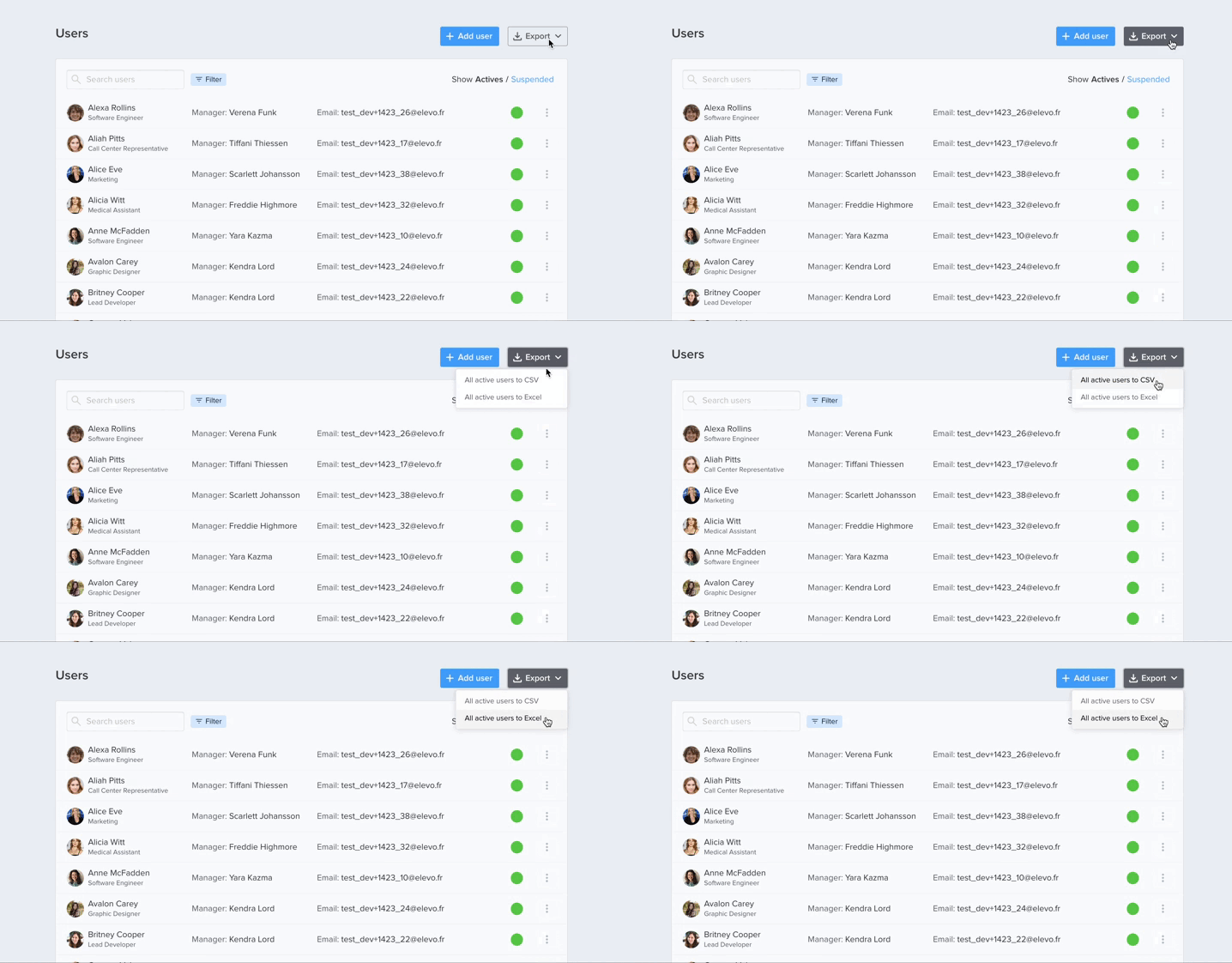
To export your user database, simply click on Export > All Active Users in CSV (or Excel). You will receive an e-mail with the exported file attached.