
Get training suggestions for your employees based on the skills assessment completed during a review. These recommendations are based on the lowest-rated skills and your organization’s training catalog. This helps guide reviewers and saves valuable time.
This feature helps you:
- Reduce the time spent manually searching the training catalog,
- Increase the use of employee development actions following assessments,
- Connect skills assessments to concrete learning opportunities.
💡 Note: The Training, Skills & Career, and AI products must be enabled to use this feature.
👩🏻💻 Using the feature as the reviewee or an additional evaluator
Before the main reviewer shares the review, the block displays an empty state labeled “Coming soon.”
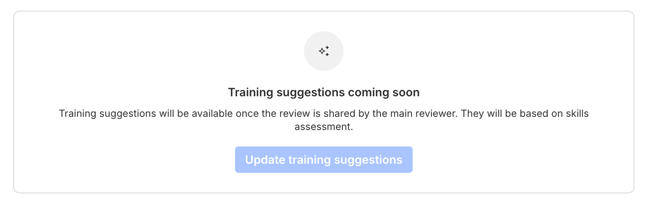
After the review has been shared, suggested training courses are displayed based on the user’s permissions.
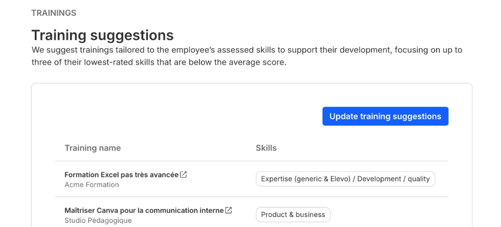
👩🏼🏫 Using the feature as the main reviewer
If an administrator has enabled the Training suggestions option on the review template, a new section appears directly below the Skills assessment block.
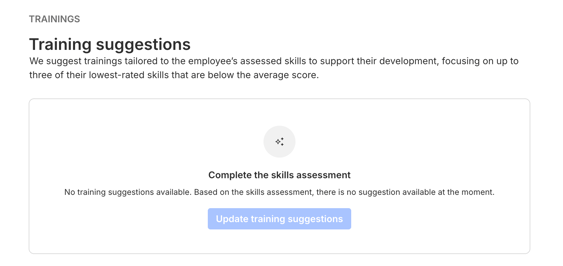
If the skills assessment has not yet been finalized, no suggestions can be generated.
Once the skills assessment has been finalized:
- The main reviewer can generate recommendations by clicking "Update training suggestions"
- The suggested training courses then appear in the dedicated section
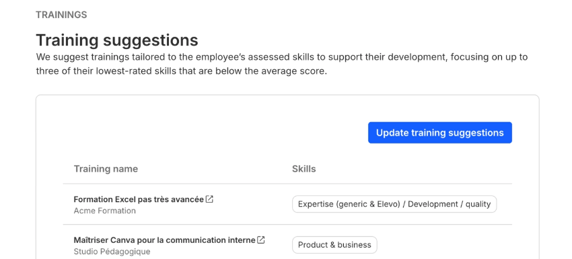
💡 Note: Suggestions can be updated at any time as long as the review has not yet been shared, by clicking the dedicated button.
⚙️ Setting up the feature as an admin
How do I enable the suggestion option in a review campaign as an admin?
This option is available directly from the template that you will later select for your review campaign. To enable it, go to Reviews > Templates > Relevant template, then check Training suggestions in the options panel on the right.
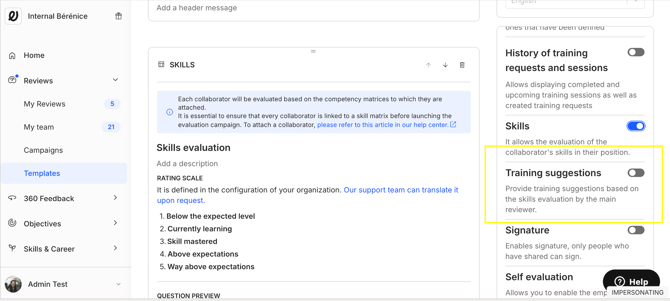
You can edit the title and description of this block.
💡 Note: For this option to appear in the template settings, make sure the training catalog is enabled, in addition to the products mentioned above.